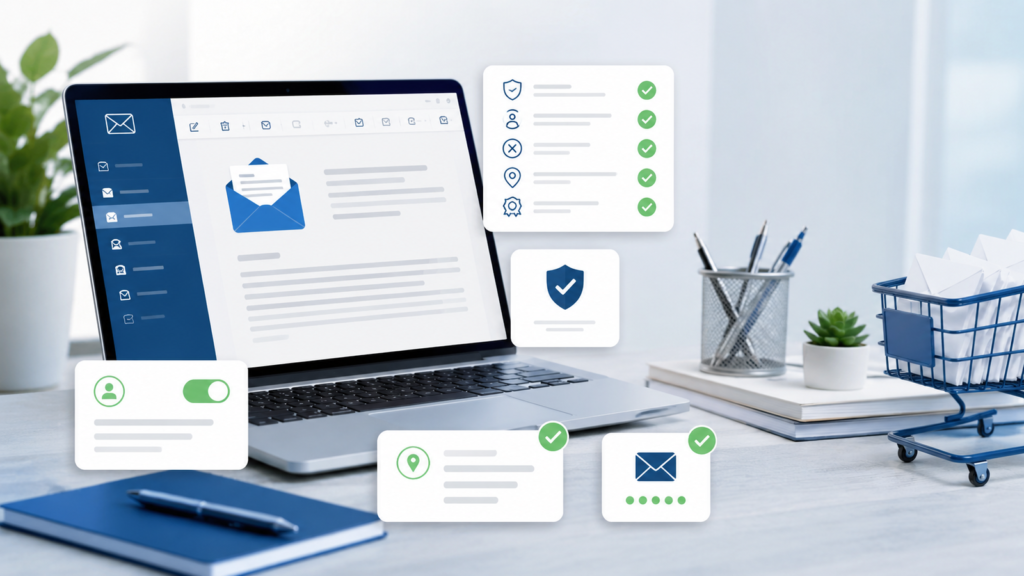
Purchased email lists are not automatically illegal under the U.S. CAN-SPAM Act, but they are not risk-free. If you send commercial email to a purchased list, you are responsible for truthful sender information, accurate subject lines, clear ad disclosure, a valid physical postal address, a working opt-out method, and prompt unsubscribe handling.
That responsibility stays with your business even if a list broker, marketing agency, email platform, or third-party sender helps with the campaign. The FTC says companies cannot contract away legal responsibility for email marketing compliance, and both the company promoted in the message and the company sending it may be held responsible.
This guide explains what CAN-SPAM requires, what makes purchased email lists risky, how to reduce compliance problems, and what to ask before using any third-party email data.
This article is for general marketing education, not legal advice. For legal interpretation, consult qualified counsel.
What is the CAN-SPAM Act?
The CAN-SPAM Act is a U.S. law that sets rules for commercial email. It applies to commercial messages whose primary purpose is advertising or promoting a commercial product, service, or commercial website. The FTC states that CAN-SPAM does not apply only to bulk email and makes no exception for business-to-business email.
That means a campaign sent to consumers, executives, small businesses, contractors, healthcare practices, real estate professionals, or local business owners may still fall under CAN-SPAM if the email is commercial.
If you are using Email Marketing Lists or building a multichannel audience through Mailing List Services, CAN-SPAM compliance should be part of the campaign plan before the first email is sent.
Does CAN-SPAM allow purchased email lists?
Yes, CAN-SPAM does not require prior opt-in consent for commercial email in the United States. The FTC has directly addressed this point, explaining that there is no general opt-in requirement under CAN-SPAM. In general, a sender may email until the recipient opts out, as long as the sender follows the law’s commercial email requirements.
But that does not mean every purchased list is safe to use.
The FTC also warns that buying lists can be risky because addresses on the list may include people who already opted out from your company, or the list may have been built using illegal methods such as address harvesting or dictionary attacks.
Purchased email lists may be allowed under CAN-SPAM in the U.S., but the sender must still comply with every rule, suppress prior opt-outs, avoid deceptive practices, and verify that the list was sourced responsibly.
Why purchased email lists create compliance risk
Purchased lists create risk because the sender usually has less visibility into how the email addresses were collected, updated, and permissioned.
The most common risks include:
- Prior opt-outs. Someone on the purchased list may have already unsubscribed from your company. If you email them again, you may violate CAN-SPAM.
- Unclear data source. If the list came from scraping, harvesting, dictionary attacks, or questionable collection methods, the risk rises sharply.
- Poor targeting. A legally compliant email can still perform badly if the recipient does not recognize your company or understand why they are receiving the message.
- Platform restrictions. Some email platforms prohibit purchased, rented, borrowed, or scraped lists even if CAN-SPAM does not require opt-in.
- Deliverability damage. High bounce rates, spam complaints, and low engagement can hurt your sender reputation, reduce inbox placement, and damage future campaigns.
This is why working with a knowledgeable list broker matters. A good broker does more than sell data. They help you choose the right audience, avoid weak sources, ask compliance questions, and match the list to the right campaign channel.
CAN-SPAM requirements for purchased email lists
The FTC’s CAN-SPAM guidance outlines the core requirements for commercial email. These rules apply whether your list is first-party, rented, licensed, appended, or purchased.
1. Do not use false or misleading header information
Your “From,” “To,” “Reply-To,” domain name, and routing information must be accurate and identify the person or business that initiated the message.
For purchased email campaigns, this means the recipient should be able to understand who is contacting them. Do not hide behind vague sender names, misleading domains, or unrelated brands.
Better:
From: ProMarketing Leads
Reply-To: sales@promarketingleads.net
Risky:
From: Business Growth Team
Reply-To: no-reply@randomdomainexample.com
If your campaign is promoting your company, the sender identity should match the brand being promoted.
2. Do not use deceptive subject lines
The subject line must accurately reflect the content of the email. A subject line cannot trick recipients into opening a commercial message by pretending to be a personal note, invoice, legal notice, account update, or shipping alert when the email is actually promotional.
Compliant direction:
“Custom email lists for your next B2B campaign”
Risky direction:
“Re: Your account issue”
“Final notice”
“Invoice attached”
If the email is promotional, the subject line should not disguise that fact.
3. Identify the message as an advertisement
CAN-SPAM gives businesses flexibility in how they identify a commercial message as an ad, but the disclosure must be clear and conspicuous.
You do not need to write an awkward opening like “THIS IS AN ADVERTISEMENT” at the top of every message, but recipients should not be misled. For purchased lists especially, clarity helps reduce complaints.
A simple footer line can work:
You are receiving this promotional email because your business profile matched our campaign audience criteria.
Or:
This is a marketing message from ProMarketing Leads.
4. Include a valid physical postal address
Every commercial email must include a valid physical postal address. The FTC says this can be a current street address, a USPS-registered post office box, or a private mailbox registered with a commercial mail receiving agency under Postal Service regulations.
For ProMarketing Leads, a compliant footer could include:
ProMarketing Leads
702 Fort St.
Papillion, NE 68046
Do not omit the address just because the message is short, automated, or sent to a B2B audience.
5. Provide a clear opt-out method
Every commercial email must give recipients a clear way to opt out of future marketing emails. The FTC says the notice should be easy for an ordinary person to recognize, read, and understand. It must include a return email address or another easy internet-based way to opt out.
The unsubscribe process should be simple.
Good options include:
- A one-click unsubscribe link
- A reply-to-unsubscribe option
- A simple preference page with an option to stop all marketing messages
Do not require recipients to log in, fill out long forms, provide extra personal information, pay a fee, or visit multiple pages.
6. Honor opt-out requests within 10 business days
Your opt-out mechanism must work for at least 30 days after the email is sent, and you must honor unsubscribe requests within 10 business days. Once someone opts out, you cannot sell or transfer that email address except to a company helping you comply with CAN-SPAM.
This is especially important when using purchased lists. Before sending, your company should suppress:
- People who previously unsubscribed
- Prior complainants
- Customers who requested no marketing contact
- Internal do-not-email records
- Any suppression file provided by the list vendor
Suppression matching is one of the most important safeguards when sending to a third-party list.
7. Monitor vendors, agencies, and third-party senders
If another company sends the campaign for you, you still have compliance responsibility. The FTC makes clear that a business cannot avoid liability by hiring someone else to handle email marketing.
Before a campaign goes out, confirm:
- Who is the legal sender
- Which domain is used
- Where unsubscribe requests go
- Who processes opt-outs
- How quickly opt-outs are applied
- Whether suppression files are used
- Whether the list source is documented
- Whether the email platform allows the list type
If you are using multiple campaign channels, such as Direct Mailing Lists, Telemarketing Lists, or SMS Text Messaging Lists, do not assume the same rules apply to every channel. Email, phone, SMS, and postal mail have different compliance standards.
CAN-SPAM compliance checklist for purchased email lists
Use this checklist before sending any campaign to a purchased or third-party email list.
| Compliance area | What to check | Why it matters |
|---|---|---|
| Sender identity | From name, reply-to email, domain, routing information | Must accurately identify the sender |
| Subject line | No fake replies, invoices, alerts, or misleading claims | Subject must match the message content |
| Ad disclosure | Clear commercial nature of the message | Required for unsolicited commercial email |
| Physical address | Street address, USPS PO box, or registered private mailbox | Required in every commercial email |
| Opt-out method | Visible unsubscribe link or reply-based opt-out | Required and must be easy to use |
| Opt-out processing | Honored within 10 business days | Required by CAN-SPAM |
| Suppression file | Prior unsubscribes removed before sending | Reduces violation risk |
| List source | No harvesting, scraping, or dictionary attacks | Avoids high-risk or illegal data practices |
| Platform policy | Email tool allows this type of campaign | Avoids account suspension |
| Tracking | Bounces, complaints, unsubscribes, replies, conversions | Protects deliverability and ROI |
What to ask before buying an email list
Before buying or licensing an email list, ask the provider direct questions. A serious provider should be able to explain how the data is sourced, updated, filtered, and prepared for use.
Ask these questions:
- Where did the email addresses come from?
- Are these opt-in, compiled, appended, or modeled records?
- Can you provide opt-in details where available?
- How recently was the data updated?
- Are hard bounces, invalid addresses, and known complainers removed?
- Can my suppression file be applied before delivery?
- Are records filtered by geography, industry, job title, demographics, interests, or buyer behavior?
- Is this a one-time rental, multi-use license, or data purchase?
- Are there restrictions on how the file can be used?
- Can the same audience be matched across postal, email, phone, or SMS channels?
- Does the provider support CAN-SPAM compliant campaign preparation?
- What happens if the deliverability rate is poor?
ProMarketing Leads’ Email Marketing Lists page notes that campaigns can be built around targeted selects, opt-in data, suppression handling, geographic targeting, and custom list-building. That makes it important to give the provider a clear campaign brief before ordering.
Purchased email lists vs. opt-in house lists
A purchased email list and a house email list are not the same thing.
| List type | What it means | Best use | Main risk |
|---|---|---|---|
| Purchased or licensed list | Third-party audience data used for outreach | Prospecting, market entry, niche targeting | Lower recognition and higher complaint risk |
| Opt-in house list | People who subscribed or gave direct permission to your company | Newsletters, offers, retention, repeat sales | Requires ongoing list growth |
| Appended email list | Emails matched to existing customer or prospect records | CRM enrichment, reactivation, multichannel outreach | Accuracy and permission questions |
| Suppression file | People who should not receive marketing email | Compliance and risk reduction | Must be updated continuously |
A purchased list can help you reach a new audience, but it should not replace your owned audience strategy. The best long-term approach is to use carefully selected third-party data to start conversations, then move engaged prospects into a permission-based nurture process.
Is B2B email treated differently under CAN-SPAM?
No. CAN-SPAM applies to commercial email and does not create a blanket exception for B2B email. The FTC specifically says the law makes no exception for business-to-business email.
That means a campaign to CEOs, HR directors, medical office managers, real estate agents, contractors, manufacturers, or small business owners still needs:
- Accurate sender information
- A truthful subject line
- Ad disclosure where required
- A valid postal address
- A clear opt-out method
- Prompt unsubscribe handling
If you are targeting companies through Business Mailing Lists, B2B Email Databases, or niche professional lists, the campaign should still be built around CAN-SPAM basics.
What about consumer email lists?
Consumer email lists carry a different kind of risk because recipients may be less familiar with business prospecting and more likely to complain if the message feels irrelevant.
If you are using Consumer Mailing Lists or consumer email data, make sure the offer matches the audience. For example, homeowners, new movers, auto buyers, investors, pet owners, or hobby-based audiences should receive messages that clearly relate to the reason they were selected.
That does not remove the need for compliance, but it can reduce friction. Relevance is not a legal shield, but it is often the difference between a useful campaign and a spam complaint.
CAN-SPAM vs. deliverability rules
CAN-SPAM compliance and inbox deliverability are connected, but they are not the same.
CAN-SPAM answers the legal question:
Are you following U.S. commercial email rules?
Deliverability answers the practical question:
Will inbox providers and recipients tolerate your message?
A campaign can be technically CAN-SPAM compliant and still perform poorly if recipients do not recognize the sender, the list is stale, the offer is weak, or the sending domain has no reputation.
To protect deliverability:
- Use a clean sending domain
- Warm up new sending infrastructure
- Avoid large first sends to cold audiences
- Remove hard bounces quickly
- Monitor spam complaint rates
- Segment by audience relevance
- Keep copy straightforward
- Avoid deceptive subject lines
- Use a real reply-to address
- Stop mailing people who do not engage
For high-value campaigns, consider using email as part of a multichannel sequence with postal mail, phone, or remarketing. A coordinated campaign built from Specialty Mailing Lists can often perform better than a single cold email blast.
Can you use a purchased email list with Mailchimp, HubSpot, Constant Contact, or other platforms?
Check the platform rules before uploading any purchased list.
CAN-SPAM may not require opt-in, but email service providers can set stricter rules. HubSpot says users should not use HubSpot to email purchased, rented, or borrowed lists. Mailchimp says third-party lists, including purchased or rented lists, are prohibited under its audience requirements.
This matters because violating a platform’s terms can lead to blocked campaigns, domain reputation issues, or account suspension.
Before buying a list, decide where the campaign will be sent from. Then confirm that the platform, SMTP provider, agency, or managed email sender supports that specific use case.
How to use purchased email lists more responsibly
The safest use of purchased email data is not a mass blast to everyone available. It is a controlled, targeted campaign with suppression, segmentation, clear sender identity, and measurable follow-up.
1. Start with the smallest qualified audience
Do not buy the biggest list you can afford. Buy the most relevant list you can define.
For example, instead of asking for “all business owners,” narrow the audience by:
- Industry
- Company size
- Revenue
- Geography
- Job title
- Business age
- Buyer need
- Technology used
- Professional specialty
For consumer campaigns, narrow by:
- ZIP code
- Age range
- Income range
- Homeownership
- Home value
- Purchase behavior
- Lifestyle interest
- Life event
- New mover or new homeowner status
2. Suppress existing unsubscribes
Before any send, apply your internal do-not-email list. This includes people who unsubscribed from previous campaigns, complained, requested no contact, or opted out through sales conversations.
This is where many purchased-list campaigns go wrong. The purchased file may be new to the vendor, but not new to your company.
3. Send a relevant first message
The first email should explain why the message is relevant. It should not pretend there is an existing relationship if there is not one.
A strong opening might say:
We work with companies that need targeted marketing lists for direct mail, email, telemarketing, and SMS campaigns. I’m reaching out because your business appears to match the type of audience that often uses targeted prospect data for customer acquisition.
A weak opening would say:
Just checking back on my last message.
If there was no last message, do not write that.
4. Give people a simple way out
Make the unsubscribe option easy to find. Do not hide it in tiny text or use confusing language.
A clear option protects the recipient and the sender.
5. Track complaints, not just clicks
A campaign with high opens and high complaints is not healthy. Watch:
- Bounce rate
- Complaint rate
- Unsubscribe rate
- Reply sentiment
- Conversion rate
- Cost per qualified lead
- Cost per acquisition
If complaints spike, stop and review the list quality, copy, targeting, and sending infrastructure.
Red flags when buying email lists
Avoid providers that make vague or unrealistic claims.
Watch for these warning signs:
- “Millions of emails for a very low price”
- No explanation of source or collection method
- No suppression support
- No update frequency
- No segmentation options
- No bounce or deliverability discussion
- No compliance guidance
- No usage rights explanation
- No sample layout
- No business identity or contact details
- Claims that CAN-SPAM compliance is automatic
No provider can make your campaign compliant by simply saying the list is compliant. Compliance depends on the list source, your message, your sender details, your opt-out process, your suppression handling, and your ongoing campaign behavior.
What happens if you violate CAN-SPAM?
CAN-SPAM violations can be expensive. The FTC currently states that each separate email in violation of the law is subject to penalties of up to $53,088. More than one person or company may be held responsible, including both the company promoted in the email and the company that sent it.
The FTC also notes that certain aggravated violations can lead to additional fines and even criminal penalties, including cases involving unauthorized computer access, false account or domain registration, misleading relay or retransmission, address harvesting, dictionary attacks, and abuse of open relays or proxies.
The practical lesson is simple: treat email compliance as a campaign requirement, not an afterthought.
When a purchased email list makes sense
A purchased or licensed email list may make sense when:
- You are entering a new market
- You need to reach a defined professional audience
- You have a strong B2B offer
- You are targeting a narrow geographic area
- You are pairing email with direct mail or telemarketing
- You have suppression files ready
- You have a compliant sender setup
- You can track results by segment
- You are using a provider that can explain the data source and usage rights
For example, a company may use New Business Mailing Lists to reach recently established companies, then combine postal mail, email, and phone outreach for a higher-touch campaign.
When you should avoid a purchased email list
Avoid purchased email lists when:
- You cannot verify the source
- You do not have an unsubscribe process
- You cannot suppress prior opt-outs
- Your email platform prohibits purchased lists
- Your offer is too broad
- Your sender domain is new or weak
- You are mailing internationally without reviewing local laws
- You are using scraped emails
- You plan to disguise the message as personal or transactional
If you are unsure, speak with a list expert before ordering. You can also contact ProMarketing Leads to discuss whether email, direct mail, telemarketing, SMS, or a combined approach fits your campaign.
CAN-SPAM compliance workflow for purchased email campaigns
Here is a practical workflow businesses can follow.
Step 1: Define the commercial purpose
Decide whether the email is commercial, transactional, relationship-based, or mixed. If the primary purpose is promotional, treat it as commercial email and apply CAN-SPAM requirements.
Step 2: Choose the audience carefully
Work from a clear buyer profile. Select only the audience segments that match your offer.
Step 3: Verify list source and usage rights
Ask how the data was collected, how often it is updated, and what you are allowed to do with it.
Step 4: Apply suppression files
Remove prior unsubscribes, known complainants, internal exclusions, customers who opted out, and any other do-not-email records.
Step 5: Write a truthful email
Use accurate sender identity, honest subject lines, clear commercial context, and a real reply path.
Step 6: Add required footer elements
Include your physical postal address and a clear opt-out method.
Step 7: Test before scaling
Start with a smaller audience. Watch bounces, complaints, unsubscribes, replies, and conversions before increasing volume.
Step 8: Honor opt-outs quickly
Process unsubscribe requests within 10 business days, but ideally much faster.
Step 9: Record what happened
Document list source, send date, suppression process, message version, opt-out handling, and performance by segment.
Final takeaway
CAN-SPAM does not ban purchased email lists in the United States, but it does put responsibility squarely on the sender. If you use purchased email data, you need truthful sender information, accurate subject lines, clear ad disclosure, a valid postal address, a working unsubscribe process, fast opt-out handling, and strong vendor oversight.
The smartest campaigns go beyond the legal minimum. They use precise targeting, clean data, suppression files, clear messaging, platform-aware sending, and careful measurement.
If you need help building a targeted email audience for your next campaign, ProMarketing Leads can help you source the right Email Marketing Lists, combine them with Direct Mailing Lists, or build a broader multichannel strategy through custom Mailing List Services.
Need a compliant, targeted list for your next campaign? Contact ProMarketing Leads or call 866-397-2772 to request a custom quote.
FAQs
Are purchased email lists legal under CAN-SPAM?
Purchased email lists are not automatically illegal under CAN-SPAM in the United States. The FTC says CAN-SPAM does not require prior opt-in consent for commercial email. However, senders must follow all CAN-SPAM requirements, including truthful sender information, accurate subject lines, ad disclosure, a valid physical postal address, a clear opt-out method, and prompt unsubscribe handling.
Does CAN-SPAM apply to B2B email?
Yes. The FTC states that CAN-SPAM makes no exception for business-to-business email. If the primary purpose of the message is commercial, B2B emails must comply with CAN-SPAM rules.
Do I need consent before sending commercial email under CAN-SPAM?
CAN-SPAM does not create a general opt-in requirement for U.S. commercial email. However, consent does not remove most CAN-SPAM duties. Even if recipients opted in, commercial emails still need accurate sender details, truthful subject lines, a valid physical address, opt-out information, and prompt unsubscribe handling.
How fast do I need to honor unsubscribe requests?
You must honor opt-out requests within 10 business days. Your opt-out mechanism must also be able to process unsubscribe requests for at least 30 days after the email is sent.
Can I send purchased lists through HubSpot or Mailchimp?
Check your platform’s policy before sending. Some platforms have stricter rules than CAN-SPAM. HubSpot says not to use its service to email purchased, rented, or borrowed lists. Mailchimp says third-party lists, including purchased or rented lists, are prohibited under its audience requirements.
What is the penalty for CAN-SPAM violations?
The FTC states that each separate email in violation of CAN-SPAM may be subject to penalties of up to $53,088. More than one party may be responsible, including the company promoted in the message and the company that sent it.
Can I sell or transfer someone’s email after they unsubscribe?
Once someone opts out, you cannot sell or transfer their email address, even as part of a mailing list. The only exception is transferring the address to a company you hired to help you comply with CAN-SPAM.
What should I ask an email list provider before buying?
Ask how the data was sourced, whether it is opt-in or compiled, when it was last updated, whether suppression files can be applied, what usage rights are included, whether sample records are available, and whether the provider can explain CAN-SPAM support for the campaign.